Devices and apps
Identify the TV, box or phone and find the matching app publisher.
OTTs.app community
Bring a device question, a playback problem or a provider quote. Read the matching guide and compare what happened on your own setup.
Identify the TV, box or phone and find the matching app publisher.
Work through buffering, missing guide entries, audio and subtitles with a repeatable test.
Identify the seller, the terms on your receipt and the next private support step.
Compare exact provider domains, stated term totals, device requirements and other published conditions.
Check pack inventory, provision a stated term and reconcile an unexpected debit.
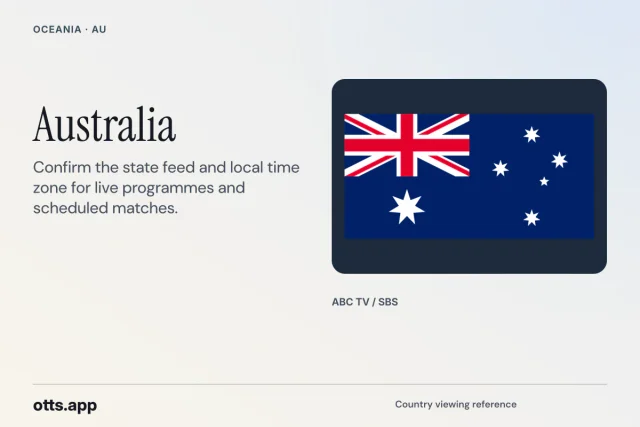
Find an authorised viewing route for a particular match, title or broadcast edition.
Distinguish a service, broadcaster, add-on, scheduled stream and on-demand entry.
Send a source-backed correction or report an issue with a directory page or discussion.
OTTs.app editorial
A good support discussion makes it possible for another person to follow the same path and see where your result changes. It can start with a line as short as “Subtitles disappear after resuming a film on an LG TV.” Give that line a model, app version and repeatable test, and you have something the next reader can try. A thread that begins with “Everything is broken” usually spends its first replies discovering which piece of equipment and which account are involved.
This fieldbook has examples to use at the eight discussion boards. The examples are editorial scenarios. Apply the part that fits, leave out private account information and report what your own setup does. Discussion counts and replies come from community posts. The guides and worked examples are available while a board waits for its first member question.
A useful subject has an object and an observable failure. “Guide lists yesterday’s programmes on Fire TV after clock change” gives a reader three clues. “Please help very urgent” tells a reader how you feel, which is understandable, while leaving the problem hidden. Keep the subject specific enough to tell it apart from the next thread about the same television. If it affects a whole app, say which stage breaks. If it affects one station, include the public station name unless doing so would expose a private reference.
Give the thread a proper home. A device question usually begins before account details are needed, for example when the app is hidden in a store. A playback question begins once a video or licensed audio track is involved. A billing question belongs with receipts and account terms, while a listing error goes to site feedback with a public source URL. Provider comparisons are helpful when two actual documents differ. Reseller operations suit inventory, customer terms and panel workflow. The viewing desks can help check the exact release, regional feed and scheduling route.
Write a one-sentence expectation and a one-sentence result. For example, “I expected the licensed replay to resume from minute 18 after sleep. It starts at minute zero every time.” Keep the action that comes just before the symptom in the thread. A screen can display the same error at launch, after a long pause or after account renewal, and those moments suggest different paths to investigate. Include the date, local time and timezone if a programme schedule or clock matters.
When you add a second issue, ask whether it is a different thread. A missing payment receipt and an app that cannot update are separate questions even when they appeared on the same night. Each may be answered by a different person. Keeping them parallel also helps the next reader follow the advice that applies to their case. Link the related public thread only when it explains the context. Store the new comparison result and date in the thread you want someone to search later.
The information a helper needs is often written on the device settings page. Give the manufacturer, model, operating system and exact app developer. Watch for model numbers that contain a sales region. A general description such as “old Samsung” may collapse half a dozen store versions into one. If the firmware number is visible in the device's own menu, copy that number and leave the serial number off the post. A developer name can tell a reader whether two differently coloured apps are editions of the same product or a coincidence.
Describe a public error simply. If a screenshot contains a full playlist URL or a portal address with a token, make a separate edited image with the sensitive area fully removed. An emoji sticker, light scribble or transparent blur can leave text readable or recoverable. Keep the original locally, inspect the saved edited copy and post the exact short error message as text so people can help even if they cannot open the image. Check the account icon and notifications around the edge. Screens often reveal more than the message you pointed the camera at.
Keep names, email addresses, receipts, bank screenshots, IP addresses and device-bound identifiers in the seller's private support route. If you discuss a disputed charge, jot down the currency, amount after rounding and whether the transaction is pending or completed. A truncated, made-up example label such as “order A” can distinguish two events without giving the whole order reference. Use the receipt to verify the identity of the billed seller and then follow their secure process.
Remember that an account can have an access URL even when there is an ordinary username and password. A short-looking public hostname in a player box may be safe to name if it is already a published portal, but the extra fields alongside it can contain tokens or a person's address. Preserve the syntax of the error without revealing the data it was trying to read. A helper can suggest checking for a missing slash or incompatible field using neutral examples. Support staff who genuinely need the secret can ask in the proper authenticated channel.
An answerable device thread might say which version of the app opens and which installation step stopped. For an availability question, name the exact title or fixture, country, date and official provider you checked. A plan question should include the term and billed currency. A reseller balance question needs the before and after, stated term debit, panel action type and whether there was a confirmation. Keep each list short enough that someone can see the most important facts without opening several images.
Move the most helpful test to the top. If three televisions can open your lawful source but only one stutters, begin there. If five entries play and one public channel fails, say that early instead of starting with a story about your router from last year. Mention what you changed, what became different, and when you returned to the original configuration. A narrow change reduces the distance between what helpers imagine and what happened at home.
Ask one main question. “Should I ask the broadcaster about the feed or the app developer about the guide mapping” is a better invitation than “What do I do.” You can give the group two believable routes and say what made you consider each. When people answer, ask them to explain which detail moved them toward their conclusion. A short reason often makes a reply applicable to more than one brand of screen while keeping the expected result concrete.
Handle uncertainty in plain language. Say “I checked the listed fixture on the broadcaster’s site and found a highlights show, so live access is still unclear.” This gives someone a real gap to fill. It avoids inventing a cancellation or blaming the whole provider. In an account thread, use “The new expiry has yet to appear after the time in my written quote.” A careful report earns more reliable help than an angry conclusion about a cause nobody has checked.
Write four checkpoints before you experiment. Can the app launch. Can it read the authorised account in the normal way. Can it list an expected item. Can it play that same item. A playlist that loads and a black screen after opening one channel have travelled through different checkpoints. Changing the account password when the app already loads the list adds a new unknown. If the app never reaches the list, a title availability claim is usually premature.
Use an authorised neighbouring source to narrow the issue. On the original device, use the same player and network for the intended item and a second item you can access. Try a short interval at a known local time. A single title that fails repeatedly deserves its own source record even if everything else plays. If every video fails in that app, compare a reputable service on the same device to see whether the scope is bigger than one interface. Keep the viewing conditions steady and the comparison short.
When possible, compare the primary device with a second supported device that uses the same authorised route. Use the device and account within the applicable rules. The model differences can expose a player issue. If the symptom travels with the same programme across devices at the same time, a provider-side check is more useful. If the issue stays with one machine across several programmes, report that. Avoid assuming a test performed by someone in another country uses the same source feed.
Include exact warning words and a clock. An on-demand session may stop at the same timestamp in an episode, while a live stream may stop at the same local time several nights in a row. Those are different clues. Record them in separate columns named “position in programme” and “time at my screen.” Add the app’s displayed format if it is easy to find. A black screen with sound, repeated compression blocks and a pause followed by a jump each deserve their own sentence.
A speed test presents one measurement to its test destination at one moment. Your television may be farther from the access point, attached to a different band, or dealing with the same evening congestion as another room. A phone in the hallway and a TV behind a cabinet can see different conditions. A report such as “The phone measured well at the router” is useful as a location observation. A stronger thread compares what happens at the screen during the ordinary problem.
Try a reversible change. Hold the programme, account, app and device steady while testing a wired connection the device supports, or temporarily moving the external box closer to the access point. Write down whether your control and affected source changed together. Compare similar playback durations and times so a one-second preview does not stand in for a whole match. Keep the network configuration legible for any other people in the house.
Separate loading from picture degradation. A video can start quickly, switch to a lower quality and keep playing. Another can look sharp between repeated pauses. Note when the change happens and whether other devices started a large upload or download. A family avoiding buffering every Friday may care about a stable lower rendition during the trial. If the problem is instead the wrong live feed or a programme blacked out for an account, the network test will leave the important fact unchanged.
Use the result to choose who can act. A weak home link belongs with the home network and the device. A constrained source may call for the publisher. A failing app path with working playback elsewhere belongs with the app developer. When reporting an issue to a provider, send the exact source, local time and your comparison. Keep public speed screenshots free of network identifiers. Treat a good answer as a small test you can reproduce, so the thread remains useful after someone swaps a router.
An electronic programme guide describes scheduled entries. The player connects to a source separately. A guide row that changes at the advertised hour can coexist with a wrong channel feed, and a working station can have an empty guide. In a thread, give the programme name shown in the guide and what actually appeared on screen. Note whether a second station or the broadcaster's official schedule agrees with your local display.
Check clocks before refreshing everything. Record the device timezone, the app's time offset if it has one, and the scheduled local time from the official broadcaster. Use both the station and expected programme name. A single network often has city or region editions, and a guide matched to one edition can be an hour off when the stream is another. When daylight saving changes, give the exact date of the change and the market. A person in a country whose clocks moved on a different weekend may otherwise reach an understandable wrong answer.
If a guide is blank, determine the scope. Open a few authorised sources in the same playlist and see which ones have useful metadata. If playback works and the guide is empty everywhere, ask the service about guide data and how the installed app receives it. If only one station is missing entries after an update, write its normal name and any region identifier so the publisher can trace a mapping. The link provided to support can be a broadcaster schedule. Your actual playlist URL belongs in a private message if it is required.
Replay is its own check. A listing for yesterday proves there was an item on a schedule. Some schedules will stay visible when replay is absent or restricted to certain episodes, devices or accounts. Record whether the player displayed a replay action and what happened after you selected it. Keep the original station feed and account type in the thread. Viewers in the same region can answer local availability more precisely with those details.
When sound disappears, confirm whether menus still make sound, whether a second programme plays and whether another official app can use the same output. Some homes pass sound directly to the television. Others use a receiver or soundbar whose display gives useful clues. Name the physical chain without posting serial numbers. A helper can then decide whether to suggest checking the selected track or asking about the format reaching the external device.
Keep language preference apart from a faulty path. Write the audio you expected, the supplied tracks the player offered and the effect of choosing one. A provider may supply one track for a programme and several for the neighbouring title. A device menu language can change labels while the media stays in its available language. For an accurate comparison, use another episode of the same show or the exact desired feed and put its edition on record.
For captions, distinguish the control, the presence of a track, its content and its appearance on the screen. A viewer may see a subtitles icon and nothing in the menu. Another may select English and see captions clipped at the bottom after changing display mode. A third may have good captions on a tablet and different options on the television. Those reports can lead to different publisher questions. Tell the board whether the subtitle selection remains after restarting playback.
Return to the same point in the programme when testing. A scene with no dialogue can make a working caption track look broken. If you pause a film near a known line, record roughly when that line occurs. If changing a downstream sound setting helps one app but another still fails, write both results. A well-observed question will let the next helper compare one layer of sound or language without asking you to reconfigure every device.
For a billing question, find the most recent receipt and the last confirmed activation or renewal. Keep the account label you recognise, the day the offer was accepted, the date the charge posted and the expected start and expiry. It helps to have the payment method's label but keep actual account details private. A prepaid term may have been processed before or after the date someone expected, and a renewal may have attached to a different reference in a household.
Distinguish the status message at checkout from the state on your payment record and the status in the player. A screen can say an enquiry went through without collecting money. A payment can complete before the seller prepares the access details. The player may display an old expiry until a supported refresh. Record which status came from which party. When you talk to the seller, bring the single transaction record first. Repeated payment attempts can make the job harder for everyone.
If a refund or cancellation question belongs in the forum, summarise the public policy or give its link. The seller controls any actual account decision. Ask which wording to confirm, for example whether cancellation stops a future renewal or ends access immediately. The answer can depend on the payment route or when the request was made. In a post, describe the term and currency. Send the detailed receipt only in the seller's approved private process.
Avoid treating a support reply in a thread as an order status. Another member may explain a similar case and help locate the correct store, but they cannot see your private record. Use the board to refine the question: “Is there a separate order reference for the app licence” or “Which date should the reseller confirm if a term was added before expiry.” A good answer tells you what to request and leaves the transaction in the account where it belongs.
A reseller forum question often starts with a decrease in balance or an unexpected expiry. Include the published model for the selected pack and the customer term you asked the panel to create. If ten activations use one credit in that provider's published model, bringing a screenshot for a different seller that charges one credit per month creates a false comparison. Write the two models in their own units. The reseller handbook has a working method for that calculation.
Track one operation at a time. Note the previous expiry, desired term, account reference kept private, expected debit and the balance before clicking. If the browser loses connection, check the transaction log and actual expiry before retrying. If the action is pending, record the message instead of assuming it failed. Those distinctions eventually matter when two staff members share administration duties.
Explain the business question plainly. For example, “I expected three credits for a three-month renewal under this provider’s documented customer-month rule. The panel reported an extra option and four credits. Which record should I ask support to check.” A useful answer will ask about the option and the receipt, rather than telling the reseller to offset the difference by doing another activation. The original action can be reconciled without exposing customer credentials.
Support and distribution belong in the written agreement. If a person wants to supervise another reseller, name the responsibilities, record access roles, clarify who can apply expired-credit corrections and gather the official onboarding terms. An image of a panel can show a control without establishing your permissions. Use the business board to compare questions worth asking. Use the actual provider to confirm which steps their version of the panel supports.
Consider a viewer who expects a late football match and finds a league logo next to a listing that plays a different fixture. Start with the competition, pairing of teams, date and venue. Write the timezone of the published kickoff and convert it to the device's local date. Find the authorised league partner for the market, then click the exact fixture in that broadcaster's schedule. The difference between a general rights article and a timed match entry is what the thread needs to explain.
Now suppose the viewer has two official broadcaster routes on the same account. One carries a highlights programme after the game, one carries another competition live at the same time. A general search result can make those look like interchangeable links. Record the displayed programme type and start time on each. If an option is restricted to specific devices or tiers, bring that condition into the post. An image that identifies the competition need not identify the plan.
If there is a blackout or separate regional restriction, the question should name the broadcaster's wording and the market checked. Include the already-tested legitimate route. A solution may be a local broadcaster with the current rights, a supported tier or a legal replay after the game. Leave unsupported global recommendations off the thread. The point is to help someone in a particular place make a verifiable viewing choice.
Close the example with a source link and the outcome, even if the outcome was choosing a replay. Someone searching next season will still learn the method while seeing the date of the actual match. Mark a correction if the original thread linked the wrong home-and-away pairing. A durable sports discussion identifies the event precisely and stays useful after its availability window closes.
When a price or source changes, describe what the old page said and where the current publisher records the new value. Include currency and term, publication or checked date and whether a fresh login was needed. Publicly accessible evidence is easier to review. If the price is a personal quote, label it as such and protect private terms. A catalog editor can update a public listing with a current official page and keep the previous observation for a dated record.
An update to the original thread is helpful if you have the same device, source, account type and symptom. If the app changed entirely or the title has moved to a different licensed route, open a new question with the new conditions. Link back when it helps explain why you tried the older method. A natural thread history records what worked then and what changed later. Altering the title to fit a newer problem can hide a solution that still applies to the older setup.
Report abuse, exposed credentials or a misleading affiliation using the report control on the relevant discussion. Explain which line contains the issue without copying any secret into the moderation note. If you accidentally posted a login link, use the appropriate private service to revoke or replace it. Moderators can hide a thread or reply and track the status of the report. Private accounts and unresolved claims deserve careful handling.
For contributions to the buying guides, show the difference a reader would see. “The annual total changed from a displayed value to this documented amount, and the currency remains the same” is enough to trigger a source recheck. “Add my provider because it’s the best” leaves the evidence missing. Useful feedback can be one small concrete improvement, such as making a phone table scroll without moving the whole page or adding a link to an officially supported device.
A helpful reply offers one short action, the result to expect and what the reader can do if it fails. “Check the developer in the device’s app store and tell us exactly what listing it shows” is a reversible suggestion. “Wipe the television and try another service” destroys context and may cause unrelated problems. Start with the smallest action that tests your hypothesis. If the account owner’s permission matters, name that constraint before asking them to change a setting.
Bring the reason for your answer. If the user tested two apps on the same TV and only one app fails with several permitted sources, explain why an app-specific test deserves attention. If the exact fixture moved within a broadcaster’s schedule, explain where the new entry appears. A reply can give a correction date and a public source link without lengthy marketing prose. Another member will be able to see why it worked for this application and whether it might work for them.
Mark a reply as a solution when it resolves the concrete symptom in the thread. Say how you confirmed it. The forum records the selected reply and shows open and solved discussions separately. Someone with the same device should be able to start from the accepted answer and check the important conditions. If the suggestion only pointed to the correct support desk, say so. That is often a valuable result. It should not read like a claim the service issue was fixed by the board itself.
If your own answer is out of date, leave a clear correction. Authors and moderators can use the discussion controls to preserve a useful result. Sharing a current official source and an exact model is more helpful than editing the old reply to imply it always said the new thing. Forum usefulness comes from decisions a reader can follow, with dates and limits that make the advice portable.
Here is a model thread about an authored example. The subject names a TV model family and a replay that stops after sleep. The opening says the installed app opens, identifies a verified title and plays normally until the remote puts the television into standby. A second episode on the same app behaves the same way, while another official streaming service resumes on the same TV. All three tests use the same place in the house and the same ordinary network.
The first reply asks about app version and whether using the app’s normal close flow changes the result. The viewer records that restarting from the home screen restores access, but resuming directly from standby repeatedly returns an error. A second reply suggests checking the publisher’s supported resume behaviour for that installed version. None of these replies needs private credentials. The likely route has narrowed to an app behaviour tied to the transition out of standby.
The viewer can now send the app publisher a clean question with model, version, exact error, first observed date and control result. If an official update changes the problem, they can come back and mark what worked. If the issue is unresolved, the thread is still meaningful because it identifies a repeatable sequence rather than collecting claims of random buffering. Another person with the same frequency of watching may recognise the sequence.
Use that structure for other desks. A reseller can substitute the balance changes and panel status. A billing question can substitute the renewal date and the seller’s official route. A local-market thread can substitute the fixture and broadcaster schedule. Keep the useful pattern of observed facts, one reversible test and the next owner, while using your own details. A reader may come to the forum having already spent too long on one unexpected evening. A thread built this way gives them a realistic next action.
Before publishing, read your draft as if the model name, country, seller and app referred to someone else's television. If you would have to ask for one more detail before attempting a test, add it. Replace whole sentences of frustration with an observation where you can. Keep a relevant original note for yourself, particularly when the chronology is important, and use the thread for the version you are willing to share.
Look at the list of solved and open discussions beside your subject. An accepted reply from an earlier version of the app may tell you what to measure. It may also show that your device and error are different enough to justify a new conversation. Use the search controls with two or three unusual words from the symptom, such as the exact edition or message. In a busy forum that can surface a response even when its subject uses different wording.
Once the question is up, give people a result rather than posting the same issue on three boards. If there is something a moderator should know, use the report flow so it reaches the people with the relevant controls. If a reply suggests a small check, try it only when it fits the device and authorised account, then share what you observed. A short clear follow-up turns one evening's inconvenience into a more useful record for another reader.
If you open a board with no current discussions, the illustrated case note can give you a place to start. Choose a problem with an observable result. Give it a subject using the words you searched for, add an official source where possible and write what you learned from one reversible test. A useful first question can be a clear request to check the documentation rather than a dramatic account of a service failure.
Post a follow-up that belongs to your actual result. A member can say a publisher confirmed the device edition or changed a support address. Put the published source and checked date beside the new fact. If the full answer can only come from the account holder, explain the public question that remains and use the correct private route for the rest. A short forum exchange can still leave a durable way to find the publisher's page next time.
When more than one person brings a similar question, check what their setups genuinely share. If both see the same warning with the same app version and market, linking the better-documented thread can save time. If the warning appears before sign-in for one person and after trying a specific episode for another, their first tests may differ. Use links to share context while keeping each result connected to its own case. That makes a small set of discussions useful as the board grows.
Try the open and solved filters when returning to an older board. Read the accepted reply with its device, version and date. If it still applies, use the smallest supported step and report the observation. If the platform changed, a new thread can carry the new conditions. This is how a group accumulates useful public knowledge without relying on a list of anonymous promises.
Imagine someone finds your solved thread six months later by searching for the same wording. Make it obvious which update and which screen made the change. Add the version to the conclusion, even if you had already included an older version at the top. A useful follow-up can say that the provider fixed one part and that a separate subtitle question is still open. It keeps the search result useful without turning the whole conversation into a changing catch-all.
If the problem returns after an unrelated update, start a new note with the verified changes. Link the older case when it explains the sequence you compared. Mention whether the app opens, reaches the account and plays other authorised sources. That short chain helps someone separate the return of the original problem from a new source failure. An accurate follow-up is the reason to keep a forum open after the initial answer.