 Team 8K
Published source
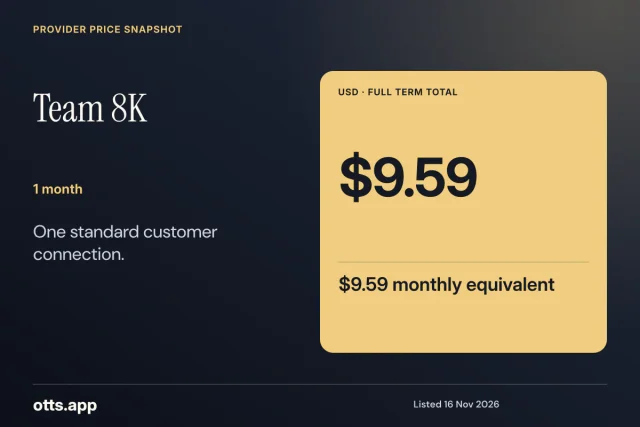
Team 8K · 1 month
USD 9.59
USD 9.59 per month equivalent
Evidence checked 17 November 2026
Review detailsComplete term totals
Read seller-published subscription and reseller totals, their billing currency, and the evidence behind each listing.
Team 8KPublished source
USD 9.59
USD 9.59 per month equivalent
Evidence checked 17 November 2026
Review details Pro Max 4K OTT
Published source
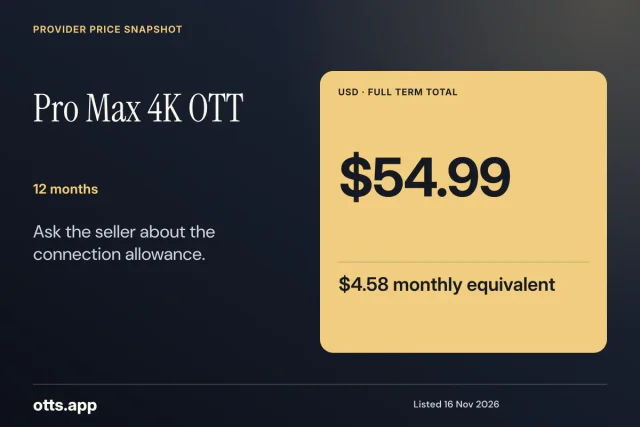
USD 54.99
USD 4.58 per month equivalent
Evidence checked 17 November 2026
Review details B1G IPTV
Published source
USD 19.99
USD 6.66 per month equivalent
Evidence checked 17 November 2026
Review detailsTeam 8K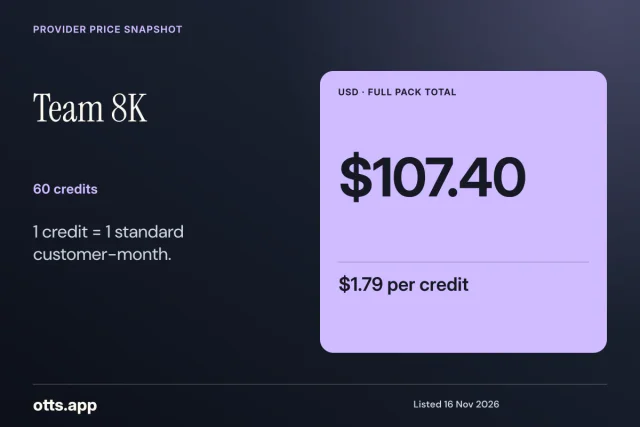
Published source
USD 107.40
USD 1.79 per credit
Evidence checked 17 November 2026
Review detailsPro Max 4K OTT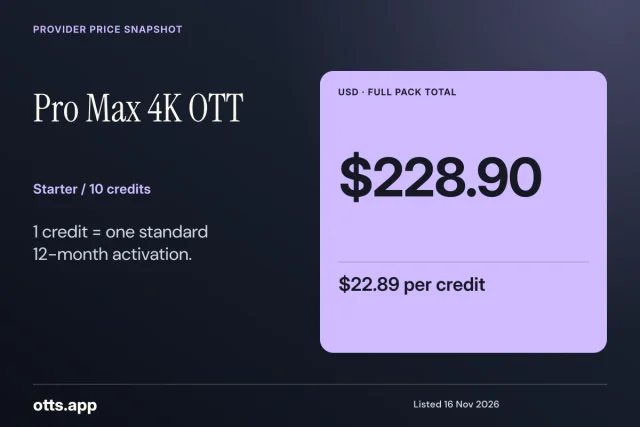
Published source
USD 228.90
USD 22.89 per credit
Evidence checked 17 November 2026
Review details Crystal IPTV
Published source
USD 109.99
USD 11.00 per credit
Evidence checked 17 November 2026
Review details| Plan or pack | Published total | Calculated comparison | Evidence type | Source |
|---|---|---|---|---|
| Strong 8K IPTV · 1 month | USD 9.99 | USD 9.99 per month equivalent | Published source | Provider source |
| Strong 8K IPTV · 3 months | USD 24.99 | USD 8.33 per month equivalent | Published source | Provider source |
| Strong 8K IPTV · 6 months | USD 39.99 | USD 6.67 per month equivalent | Published source | Provider source |
| Strong 8K IPTV · 12 months | USD 54.99 | USD 4.58 per month equivalent | Published source | Provider source |
| Trex IPTV · 1 month | USD 9.99 | USD 9.99 per month equivalent | Published source | Provider source |
| Trex IPTV · 3 months | USD 24.99 | USD 8.33 per month equivalent | Published source | Provider source |
| Trex IPTV · 6 months | USD 39.99 | USD 6.67 per month equivalent | Published source | Provider source |
| Trex IPTV · 12 months | USD 54.99 | USD 4.58 per month equivalent | Published source | Provider source |
| Golden OTT · 1 month | USD 8.99 | USD 8.99 per month equivalent | Published source | Provider source |
| Golden OTT · 3 months | USD 23.99 | USD 8.00 per month equivalent | Published source | Provider source |
| Golden OTT · 6 months | USD 38.99 | USD 6.50 per month equivalent | Published source | Provider source |
| Golden OTT · 12 months | USD 49.99 | USD 4.17 per month equivalent | Published source | Provider source |
| Dream 4K IPTV · 1 month | USD 8.99 | USD 8.99 per month equivalent | Published source | Provider source |
| Dream 4K IPTV · 3 months | USD 23.99 | USD 8.00 per month equivalent | Published source | Provider source |
| Dream 4K IPTV · 6 months | USD 38.99 | USD 6.50 per month equivalent | Published source | Provider source |
| Dream 4K IPTV · 12 months | USD 49.99 | USD 4.17 per month equivalent | Published source | Provider source |
| 8K IPTV · 1 month | USD 9.99 | USD 9.99 per month equivalent | Indexed source | Provider source |
| 8K IPTV · 3 months | USD 24.99 | USD 8.33 per month equivalent | Indexed source | Provider source |
| 8K IPTV · 6 months | USD 39.99 | USD 6.67 per month equivalent | Indexed source | Provider source |
| 8K IPTV · 12 months | USD 54.99 | USD 4.58 per month equivalent | Indexed source | Provider source |
| 8K PRO IPTV · 1 month | USD 9.99 | USD 9.99 per month equivalent | Published source | Provider source |
| 8K PRO IPTV · 3 months | USD 24.99 | USD 8.33 per month equivalent | Published source | Provider source |
| 8K PRO IPTV · 6 months | USD 39.99 | USD 6.67 per month equivalent | Published source | Provider source |
| 8K PRO IPTV · 12 months | USD 54.99 | USD 4.58 per month equivalent | Published source | Provider source |
| Team 8K · 1 month | USD 9.59 | USD 9.59 per month equivalent | Published source | Provider source |
| Team 8K · 3 months | USD 23.99 | USD 8.00 per month equivalent | Published source | Provider source |
| Team 8K · 6 months | USD 39.99 | USD 6.67 per month equivalent | Published source | Provider source |
| Team 8K · 12 months | USD 54.99 | USD 4.58 per month equivalent | Published source | Provider source |
| Mega OTT · 1 month | USD 6.99 | USD 6.99 per month equivalent | Published source | Provider source |
| Mega OTT · 3 months | USD 16.99 | USD 5.66 per month equivalent | Published source | Provider source |
| Mega OTT · 6 months | USD 29.99 | USD 5.00 per month equivalent | Published source | Provider source |
| Mega OTT · 12 months | USD 44.99 | USD 3.75 per month equivalent | Published source | Provider source |
| Ultra 8K IPTV · 1 month | USD 9.59 | USD 9.59 per month equivalent | Published source | Provider source |
| Ultra 8K IPTV · 3 months | USD 23.99 | USD 8.00 per month equivalent | Published source | Provider source |
| Ultra 8K IPTV · 6 months | USD 39.99 | USD 6.67 per month equivalent | Published source | Provider source |
| Ultra 8K IPTV · 12 months | USD 54.99 | USD 4.58 per month equivalent | Published source | Provider source |
| Smarter 8K · 1 month | USD 11.99 | USD 11.99 per month equivalent | Published source | Provider source |
| Smarter 8K · 3 months | USD 24.99 | USD 8.33 per month equivalent | Published source | Provider source |
| Smarter 8K · 6 months | USD 39.99 | USD 6.67 per month equivalent | Published source | Provider source |
| Smarter 8K · 12 months | USD 50.99 | USD 4.25 per month equivalent | Published source | Provider source |
| B1G IPTV · 1 month | USD 7.99 | USD 7.99 per month equivalent | Published source | Provider source |
| B1G IPTV · 3 months | USD 19.99 | USD 6.66 per month equivalent | Published source | Provider source |
| B1G IPTV · 6 months | USD 34.99 | USD 5.83 per month equivalent | Published source | Provider source |
| B1G IPTV · 12 months | USD 44.99 | USD 3.75 per month equivalent | Published source | Provider source |
| Pro Max 4K OTT · 1 month | USD 9.99 | USD 9.99 per month equivalent | Published source | Provider source |
| Pro Max 4K OTT · 3 months | USD 24.99 | USD 8.33 per month equivalent | Published source | Provider source |
| Pro Max 4K OTT · 6 months | USD 39.99 | USD 6.67 per month equivalent | Published source | Provider source |
| Pro Max 4K OTT · 12 months | USD 54.99 | USD 4.58 per month equivalent | Published source | Provider source |
| Hot IPTV · 1 month | USD 11.99 | USD 11.99 per month equivalent | Published source | Provider source |
| Hot IPTV · 3 months | USD 24.99 | USD 8.33 per month equivalent | Published source | Provider source |
| Hot IPTV · 6 months | USD 39.99 | USD 6.67 per month equivalent | Published source | Provider source |
| Hot IPTV · 12 months | USD 50.99 | USD 4.25 per month equivalent | Published source | Provider source |
| XOTT · 1 month | USD 9.59 | USD 9.59 per month equivalent | Published source | Provider source |
| XOTT · 3 months | USD 23.99 | USD 8.00 per month equivalent | Published source | Provider source |
| XOTT · 6 months | USD 39.99 | USD 6.67 per month equivalent | Published source | Provider source |
| XOTT · 12 months | USD 54.99 | USD 4.58 per month equivalent | Published source | Provider source |
| Crystal IPTV · 1 month | USD 8.99 | USD 8.99 per month equivalent | Published source | Provider source |
| Crystal IPTV · 3 months | USD 24.99 | USD 8.33 per month equivalent | Published source | Provider source |
| Crystal IPTV · 6 months | USD 34.99 | USD 5.83 per month equivalent | Published source | Provider source |
| Crystal IPTV · 12 months | USD 49.99 | USD 4.17 per month equivalent | Published source | Provider source |
| 4K OTT · 1 month | USD 9.99 | USD 9.99 per month equivalent | Published source | Provider source |
| 4K OTT · 3 months | USD 24.99 | USD 8.33 per month equivalent | Published source | Provider source |
| 4K OTT · 6 months | USD 39.99 | USD 6.67 per month equivalent | Published source | Provider source |
| 4K OTT · 12 months | USD 54.99 | USD 4.58 per month equivalent | Published source | Provider source |
| Dino IPTV · 1 month | USD 8.99 | USD 8.99 per month equivalent | Indexed source | Provider source |
| Lion OTT · 1 month | USD 7.99 | USD 7.99 per month equivalent | Published source | Provider source |
| Lion OTT · 3 months | USD 19.99 | USD 6.66 per month equivalent | Published source | Provider source |
| Lion OTT · 6 months | USD 34.99 | USD 5.83 per month equivalent | Published source | Provider source |
| Lion OTT · 12 months | USD 44.99 | USD 3.75 per month equivalent | Published source | Provider source |
| HelloSky · 1 month | USD 7.99 | USD 7.99 per month equivalent | Published source | Provider source |
| HelloSky · 3 months | USD 19.99 | USD 6.66 per month equivalent | Published source | Provider source |
| HelloSky · 6 months | USD 34.99 | USD 5.83 per month equivalent | Published source | Provider source |
| HelloSky · 12 months | USD 49.99 | USD 4.17 per month equivalent | Published source | Provider source |
| 4K IPTV · 1 month | EUR 6.99 | EUR 6.99 per month equivalent | Indexed source | Provider source |
| 4K IPTV · 3 months | EUR 18.99 | EUR 6.33 per month equivalent | Indexed source | Provider source |
| 4K IPTV · 6 months | EUR 29.99 | EUR 5.00 per month equivalent | Indexed source | Provider source |
| 4K IPTV · 12 months | EUR 44.99 | EUR 3.75 per month equivalent | Indexed source | Provider source |
| MegaOTT.app · 1 month | USD 6.99 | USD 6.99 per month equivalent | Published source | Provider source |
| MegaOTT.app · 3 months | USD 16.99 | USD 5.66 per month equivalent | Published source | Provider source |
| MegaOTT.app · 6 months | USD 29.99 | USD 5.00 per month equivalent | Published source | Provider source |
| MegaOTT.app · 12 months | USD 44.99 | USD 3.75 per month equivalent | Published source | Provider source |
| Sky Glass IPTV · 1 month | GBP 6.00 | GBP 6.00 per month equivalent | Published source | Provider source |
| Sky Glass IPTV · 3 months | GBP 15.00 | GBP 5.00 per month equivalent | Published source | Provider source |
| Sky Glass IPTV · 6 months | GBP 25.00 | GBP 4.17 per month equivalent | Published source | Provider source |
| Sky Glass IPTV · 12 months | GBP 40.00 | GBP 3.33 per month equivalent | Published source | Provider source |
| RynexPlay · 1 month | USD 6.99 | USD 6.99 per month equivalent | Published source | Provider source |
| RynexPlay · 3 months | USD 16.99 | USD 5.66 per month equivalent | Published source | Provider source |
| RynexPlay · 6 months | USD 29.99 | USD 5.00 per month equivalent | Published source | Provider source |
| RynexPlay · 12 months | USD 44.99 | USD 3.75 per month equivalent | Published source | Provider source |
| 5G Live · 1 month | USD 6.99 | USD 6.99 per month equivalent | Published source | Provider source |
| 5G Live · 3 months | USD 15.99 | USD 5.33 per month equivalent | Published source | Provider source |
| 5G Live · 6 months | USD 28.99 | USD 4.83 per month equivalent | Published source | Provider source |
| 5G Live · 12 months | USD 44.99 | USD 3.75 per month equivalent | Published source | Provider source |
| IPTV Australia · 1 month | AUD 11.99 | AUD 11.99 per month equivalent | Published source | Provider source |
| IPTV Australia · 3 months | AUD 33.99 | AUD 11.33 per month equivalent | Published source | Provider source |
| IPTV Australia · 6 months | AUD 49.99 | AUD 8.33 per month equivalent | Published source | Provider source |
| IPTV Australia · 12 months | AUD 71.99 | AUD 6.00 per month equivalent | Published source | Provider source |
| IPTV Canada · 1 month | CAD 13.99 | CAD 13.99 per month equivalent | Published source | Provider source |
| IPTV Canada · 3 months | CAD 34.99 | CAD 11.66 per month equivalent | Published source | Provider source |
| IPTV Canada · 6 months | CAD 55.99 | CAD 9.33 per month equivalent | Published source | Provider source |
| IPTV Canada · 12 months | CAD 76.99 | CAD 6.42 per month equivalent | Published source | Provider source |
| UK IPTV · 1 month | GBP 7.49 | GBP 7.49 per month equivalent | Published source | Provider source |
| UK IPTV · 3 months | GBP 18.99 | GBP 6.33 per month equivalent | Published source | Provider source |
| UK IPTV · 6 months | GBP 29.99 | GBP 5.00 per month equivalent | Published source | Provider source |
| UK IPTV · 12 months | GBP 40.99 | GBP 3.42 per month equivalent | Published source | Provider source |
| IPTV USA · 1 month | USD 9.99 | USD 9.99 per month equivalent | Published source | Provider source |
| IPTV USA · 3 months | USD 24.99 | USD 8.33 per month equivalent | Published source | Provider source |
| IPTV USA · 6 months | USD 39.99 | USD 6.67 per month equivalent | Published source | Provider source |
| IPTV USA · 12 months | USD 54.99 | USD 4.58 per month equivalent | Published source | Provider source |
| IPTV Europe · 1 month | EUR 8.99 | EUR 8.99 per month equivalent | Published source | Provider source |
| IPTV Europe · 3 months | EUR 21.99 | EUR 7.33 per month equivalent | Published source | Provider source |
| IPTV Europe · 6 months | EUR 35.99 | EUR 6.00 per month equivalent | Published source | Provider source |
| IPTV Europe · 12 months | EUR 49.99 | EUR 4.17 per month equivalent | Published source | Provider source |
| Plan or pack | Published total | Calculated comparison | Evidence type | Source |
|---|---|---|---|---|
| Strong 8K IPTV · 120 credits | USD 222.00 | USD 1.85 per credit | Published source | Provider source |
| Strong 8K IPTV · 240 credits | USD 429.60 | USD 1.79 per credit | Published source | Provider source |
| Strong 8K IPTV · 1200 credits | USD 2,028.00 | USD 1.69 per credit | Published source | Provider source |
| Trex IPTV · 60 credits | USD 111.00 | USD 1.85 per credit | Published source | Provider source |
| Trex IPTV · 120 credits | USD 214.80 | USD 1.79 per credit | Published source | Provider source |
| Trex IPTV · 300 credits | USD 507.00 | USD 1.69 per credit | Published source | Provider source |
| Trex IPTV · 600 credits | USD 954.00 | USD 1.59 per credit | Published source | Provider source |
| Golden OTT · 10 credits | USD 139.00 | USD 13.90 per credit | Published source | Provider source |
| Golden OTT · 25 credits | USD 335.00 | USD 13.40 per credit | Published source | Provider source |
| Golden OTT · 50 credits | USD 645.00 | USD 12.90 per credit | Published source | Provider source |
| Golden OTT · 100 credits | USD 1,190.00 | USD 11.90 per credit | Published source | Provider source |
| Dream 4K IPTV · 60 credits | USD 95.40 | USD 1.59 per credit | Published source | Provider source |
| Dream 4K IPTV · 120 credits | USD 178.80 | USD 1.49 per credit | Published source | Provider source |
| Dream 4K IPTV · 300 credits | USD 417.00 | USD 1.39 per credit | Published source | Provider source |
| Dream 4K IPTV · 600 credits | USD 774.00 | USD 1.29 per credit | Published source | Provider source |
| 8K PRO IPTV · 120 credits | USD 222.00 | USD 1.85 per credit | Published source | Provider source |
| 8K PRO IPTV · 240 credits | USD 429.60 | USD 1.79 per credit | Published source | Provider source |
| 8K PRO IPTV · 1200 credits | USD 2,028.00 | USD 1.69 per credit | Published source | Provider source |
| Team 8K · 60 credits | USD 107.40 | USD 1.79 per credit | Published source | Provider source |
| Team 8K · 120 credits | USD 202.80 | USD 1.69 per credit | Published source | Provider source |
| Team 8K · 300 credits | USD 477.00 | USD 1.59 per credit | Published source | Provider source |
| Team 8K · 600 credits | USD 894.00 | USD 1.49 per credit | Published source | Provider source |
| Ultra 8K IPTV · 60 credits | USD 107.40 | USD 1.79 per credit | Published source | Provider source |
| Ultra 8K IPTV · 120 credits | USD 202.80 | USD 1.69 per credit | Published source | Provider source |
| Ultra 8K IPTV · 300 credits | USD 477.00 | USD 1.59 per credit | Published source | Provider source |
| Ultra 8K IPTV · 600 credits | USD 894.00 | USD 1.49 per credit | Published source | Provider source |
| B1G IPTV · 100 credits | USD 99.00 | USD 0.99 per credit | Published source | Provider source |
| B1G IPTV · 500 credits | USD 445.00 | USD 0.89 per credit | Published source | Provider source |
| B1G IPTV · 1200 credits | USD 948.00 | USD 0.79 per credit | Published source | Provider source |
| Pro Max 4K OTT · 10 credits | USD 228.90 | USD 22.89 per credit | Published source | Provider source |
| Pro Max 4K OTT · 25 credits | USD 547.50 | USD 21.90 per credit | Published source | Provider source |
| Pro Max 4K OTT · 50 credits | USD 1,024.50 | USD 20.49 per credit | Published source | Provider source |
| Pro Max 4K OTT · 100 credits | USD 1,899.00 | USD 18.99 per credit | Published source | Provider source |
| Hot IPTV · 100 credits | USD 199.00 | USD 1.99 per credit | Published source | Provider source |
| Hot IPTV · 300 credits | USD 499.00 | USD 1.66 per credit | Published source | Provider source |
| Hot IPTV · 1000 credits | USD 999.00 | USD 1.00 per credit | Published source | Provider source |
| XOTT · 60 credits | USD 107.40 | USD 1.79 per credit | Published source | Provider source |
| XOTT · 120 credits | USD 202.80 | USD 1.69 per credit | Published source | Provider source |
| XOTT · 300 credits | USD 477.00 | USD 1.59 per credit | Published source | Provider source |
| XOTT · 600 credits | USD 894.00 | USD 1.49 per credit | Published source | Provider source |
| Crystal IPTV · 10 credits | USD 109.99 | USD 11.00 per credit | Published source | Provider source |
| Crystal IPTV · 25 credits | USD 266.99 | USD 10.68 per credit | Published source | Provider source |
| Crystal IPTV · 50 credits | USD 515.99 | USD 10.32 per credit | Published source | Provider source |
| Crystal IPTV · 100 credits | USD 949.99 | USD 9.50 per credit | Published source | Provider source |
| 4K OTT · 10 credits | USD 228.90 | USD 22.89 per credit | Published source | Provider source |
| 4K OTT · 25 credits | USD 547.50 | USD 21.90 per credit | Published source | Provider source |
| 4K OTT · 50 credits | USD 1,024.50 | USD 20.49 per credit | Published source | Provider source |
| 4K OTT · 100 credits | USD 1,899.00 | USD 18.99 per credit | Published source | Provider source |
| Dino IPTV · 60 credits | USD 72.00 | USD 1.20 per credit | Indexed source | Provider source |
| Dino IPTV · 120 credits | USD 118.80 | USD 0.99 per credit | Indexed source | Provider source |
| Dino IPTV · 300 credits | USD 285.00 | USD 0.95 per credit | Indexed source | Provider source |
| Dino IPTV · 600 credits | USD 510.00 | USD 0.85 per credit | Indexed source | Provider source |
| Lion OTT · 25 credits | USD 249.75 | USD 9.99 per credit | Published source | Provider source |
| Lion OTT · 50 credits | USD 449.50 | USD 8.99 per credit | Published source | Provider source |
| Lion OTT · 100 credits | USD 799.00 | USD 7.99 per credit | Published source | Provider source |
| HelloSky · 250 credits | USD 287.00 | USD 1.15 per credit | Published source | Provider source |
| HelloSky · 500 credits | USD 495.00 | USD 0.99 per credit | Published source | Provider source |
| HelloSky · 1000 credits | USD 950.00 | USD 0.95 per credit | Published source | Provider source |
| Sky Glass IPTV · 180 credits | GBP 180.00 | GBP 1.00 per credit | Published source | Provider source |
| Sky Glass IPTV · 350 credits | GBP 350.00 | GBP 1.00 per credit | Published source | Provider source |
| Sky Glass IPTV · 600 credits | GBP 850.00 | GBP 1.42 per credit | Published source | Provider source |
| Sky Glass IPTV · 1200 credits | GBP 1,600.00 | GBP 1.33 per credit | Published source | Provider source |
| RynexPlay · 200 credits | USD 170.00 | USD 0.85 per credit | Published source | Provider source |
| RynexPlay · 500 credits | USD 395.00 | USD 0.79 per credit | Published source | Provider source |
| RynexPlay · 1000 credits | USD 690.00 | USD 0.69 per credit | Published source | Provider source |
| 5G Live · 100 credits | USD 139.00 | USD 1.39 per credit | Published source | Provider source |
| 5G Live · 300 credits | USD 399.00 | USD 1.33 per credit | Published source | Provider source |
| 5G Live · 1000 credits | USD 1,290.00 | USD 1.29 per credit | Published source | Provider source |
| IPTV USA · 60 credits | USD 111.00 | USD 1.85 per credit | Published source | Provider source |
| IPTV USA · 120 credits | USD 214.80 | USD 1.79 per credit | Published source | Provider source |
| IPTV USA · 300 credits | USD 507.00 | USD 1.69 per credit | Published source | Provider source |
| IPTV USA · 600 credits | USD 954.00 | USD 1.59 per credit | Published source | Provider source |
| Tier | Full billed total | Billing term | Advertising | Concurrent streams | Quality | Renewal |
|---|---|---|---|---|---|---|
| Standard with ads | USD 8.99 | Monthly | with ads | 2 | 1080p | Monthly on the signup date |
| Standard | USD 19.99 | Monthly | ad-free tier | 2 | 1080p | Monthly on the signup date |
| Premium | USD 26.99 | Monthly | ad-free tier | 4 | 4K + HDR on eligible sources and equipment | Monthly on the signup date |
Publisher tier documentation retrieved · checked 17 November 2026. Verify the current bill, eligibility and included titles. Publisher pricing source
Compare all documented OTT offersChoose the provider's published plan or enquiry link. The provider handles its own quote, account activation, support and billing.
It is the price shown for the entire listed period. Check the seller's final quote for fees, taxes and any separately billed app before paying.
No. The comparison divides the full period price by its length. The seller's terms determine when payment is due.
Keep the two originals with their currencies. If you need a spending estimate, record a dated exchange rate and leave the seller's settlement amount separate.
Check the account's written term and activation or renewal confirmation. Keep the order reference, amount, date and account name together.
OTTs.app editorial
A full term costs the amount a seller would charge for it under the stated conditions. A monthly equivalent is the total divided by the number of months. Keep both in the comparison and label them clearly. If a listing displays USD 54.99 for twelve months, the equivalent rounds to USD 4.58. The seller can still collect the complete USD 54.99 at the start. Thinking in the total prevents the familiar surprise of a much larger amount on the final screen.
The catalog above records published figures and separates retail terms, reseller inventory and OTT tiers. Details linked to each amount matter. A term's currency, start rule, application charge and connection allowance can change what a household can buy. Use the arithmetic here to make two offers comparable. Keep the seller’s current confirmation for the transaction.
Open the seller’s page for the actual term. Copy the amount as shown, together with the currency and exact number of months. Set the payment summary on a different line. A posted total can be different from the amount your card or payment service would ultimately settle. Make a third line for any application fees. A plan can be priced accurately and still need a separate player purchase to work on your television.
Use labels that would make sense to a friend. “Plan price” is clear when followed by “USD 24.99 for three months, paid for the full period.” “Equivalent” is clear when followed by “total divided by three months, rounded.” Keep a separate line for a quote's timestamp and the publication evidence. That saves you from deciding which of several screenshots came from the exact plan. If the plan selector changes the total without changing the word “annual,” save the selected variant before leaving the page.
The published offers illustrate the difference. The Team 8K listing for one month is USD 9.59. Its three-month listing is USD 23.99, about USD 8.00 per month when rounded to cents. The equivalent helps when comparing another USD term of the same kind. The paid commitment in the three-month case is still the full amount. A seller page can describe these as starting prices, which makes confirming the selected product and conditions before paying especially important. Follow the link in the plan card for the current source and observation.
Repeat the calculation only when the units match. A reseller credit is allocated to a customer operation under its own rules. A monetary bill buys a retail term under the agreement for a household. Unit value is useful within each product discussion. Joining the two in one column makes the size of the numbers look comparable while the actual obligations differ. Keep a separate record for the customer contract, inventory purchase and app charge.
Longer terms may have a lower monthly equivalent. Start with the time you expect to be able to use one. A person travelling with different devices can have different viewing needs three months later. A fixture only available on a particular package might make one month more valuable than a longer term. A seasonal tournament has an end even if the price card gives twelve months an attractive label. Your budget belongs to your plans.
Build two examples from published term values, and keep their limits separate. Many providers in the catalog list USD 9.99 for a one-month standard term and USD 54.99 for twelve months. Six separate USD 9.99 months add to USD 59.94 before fees. The annual term reaches a lower headline total once a sixth month is actually purchased on the stated prices. For two or three months of expected viewing, a much smaller commitment may be a better fit. A separate three-month rate makes the actual crossover different again. Use the provider's own sequence of available terms when you run the comparison.
Assume a particular home expects to use the service during a four-month sports season. It asks whether the desired live event remains within the selected tier and market, then assesses three months plus one month against six months. Those are plausible ways of covering the intended dates. The sum of four separately billed months is another option only if each renewal would be offered at the same amount. The person with the remote can say which option actually fits. Unit price alone cannot tell you whether you want two unused months.
Include the expected start date. A three-month term starting today may end differently from a three-month term added at the existing expiry. If moving devices is part of the reason you are buying, include the cost and time required to make the chosen screen work. A low price with an uncertain setup carries a different commitment from a small term on a device you already know. The result should tell you when the service is needed and what buying each sequence would mean.
There can be three payments around one screen. The first buys access to the service. The second pays the developer of a player if the compatible option has a licence. The third buys equipment, such as a streaming stick or a sound adapter, which stays with the household after the first term. Sort these by recipient and date. A service customer can already have a paid player licence, while another home has to start with a compatible trial first.
Suppose a hypothetical service price is USD 39.99 for six months and the TV needs a new USD 14.99 application licence. The household needs USD 54.98 for those two recorded purchases before tax or provider fees. If an equally usable setup accepts a licence the household already owns, the incremental bill for that setup might be only the service total. If the licence is device-bound and the household expects to replace the television, ask how transfer works. An application listed as a one-off price can still be tied to a hardware policy.
Compare clarity as part of the purchase. Ask which publisher issued the app, who controls reimbursement for its fee and whether a different app is a supported option. Note whether the billing period belongs to a software subscription or to viewing access. When someone says an app comes with an account, ask to see the stated package link. A page which links to a compatible player can still leave the fee payable in the app store.
Avoid buying hardware because a logo appears near the quote. Start with a working screen and try the seller’s normal authorised route. If a supported external device changes the choice, put the real price and any expected app fee beside the purchase. Treat them as separate costs you can compare, with their own useful lifetimes and sellers. Your next renewal may only renew one of them.
A dollar symbol can refer to several currencies. USD, CAD and AUD are different units even when the number and symbol look the same. An upstream seller can list a price in pounds while a card issuer settles the charge in another currency. Both figures can appear on a statement. Record the publisher’s billed currency and, separately, the actual amount that would be collected from the payment method. Equal figures in different currencies are not a tie.
When the seller quotes a converted amount, obtain the term and trading identity on that quote. Ask which party controls the exchange and whether there is a separate fee. A best-effort estimate helps a budget comparison. It cannot predict the amount an issuer applies on the day of settlement. Round after the calculation only to show the equivalent in a ledger. Keep the actual quoted amounts as displayed, because statement reconciliation will use the charges as recorded.
Use an example with neutral figures. A publisher charging USD 50 and a second publisher charging AUD 50 provide two distinct prices. If your account is in a third currency, each route can have different fees or conversion options. Ask for the actual charge to the card and compare it with an equal term and requirements. The seller’s displayed figure remains useful as its own source. Copying only the digits into a spreadsheet would flatten two independent decisions.
In the catalog you can filter by currency and term. Use that to create a shortlist, then click through to the record which holds the package scope. The USD annual column is useful for a visitor already comparing USD quotes. For a local household, eligible currencies, seller territory and a domestic payment route may matter more. The UK, Canada and Australia pages identify market references, which should not be confused with an account's verified right to buy.
A quote does more than state the total. It connects an agreed term with a buyer, seller and start rule. Ask how the information will be delivered, whether your setup has to be ready before approval, and how to confirm a term was added to the intended account. Save the timing in ordinary words. “When confirmed on the original account, add twelve months after the current expiry” describes a different instruction from “Activate twelve months today.”
There may be different types of renewal. Some merchants expect the customer to choose and pay again. Some app-store subscriptions set an automatic renewal until someone cancels through the store account. Third-party bundles can require the billing partner to confirm the range of subscriptions. Save the next bill date and where the setting lives. If a household renews several apps in the same month, distinguish the service renewal from a player subscription or a partner bundle.
Account identity also matters. If a family member buys on a phone with a different email address, the TV may use the older app account. Confirm the current seller for the order and whether the video app expects the same sign-in. When payment and access disagree, the billing receipt, displayed entitlement and player account are separate records. Ask the relevant seller to connect them rather than trying a third payment to see what happens.
Write a simple acceptance message for yourself before approving a new charge. It should contain the total, start and expiry, seller, attached account, accepted device and contact route for a correction. If any one is uncertain, obtain it through the acknowledged checkout or public seller support channel. A small clarification here can prevent a lengthy payment discussion months later.
A price verdict answers a narrow question. When two providers publish a full amount in the same currency for a common term, the lower number is a meaningful price comparison on those published conditions. It does not settle sports rights, account country, player compatibility, screen allowance, refunds or quality. If the catalog says a verdict is open, read the reasons before counting it as a disadvantage. The issue may simply be an absent comparable term.
A practical comparison could start with two priced USD plans and one GBP plan. The two USD totals can be compared as numbers if the duration and account requirements match. The GBP plan belongs in a separate comparability column until you have an actual settlement quote in a common currency. Ask all three vendors for the same physical requirements: primary device, app cost and number of simultaneous streams. Confirmation about the right to use a feed can eliminate a route before its title price becomes meaningful.
Consider a household which needs two streams at the same hour. A published single-stream term can be a good buy eventually, but only after the household deliberately picks a schedule or authorised additional coverage. Keep your second-stream criterion in the comparison even if a price table only shows one connection. A shorter term plus a verified second route can suit an occasional event. A package with an eligible extra stream may be simpler for a regular nightly overlap. The family can then compare actual confirmed arrangements.
For a market-specific plan, compare the regional terms, terms of sale and support. The same service on a different site can name a different seller. Make sure the price and service description are tied to the exact domain and market you will use. In a row that records a missing fact, keep the unknown label long enough to get an answer. Guessing a convenient figure is tempting because it completes the spreadsheet but moves uncertainty into the purchase.
An introductory amount can be excellent value for a finite period. Copy its exact eligibility, start, months covered, ordinary renewal and cancellation route. If the first term is offered through a partner or app store, check which entity can see your prior membership. One household can have a different new customer status from the person who paid for the last trial. The purchase may arrive with a promotional confirmation that lists a distinct renewal date.
Work out the amount for the period you actually intend to use. A hypothetical three-month introductory term at USD 15 total followed by USD 9 per month comes to USD 42 for the first six months if you remain subscribed and no other fees apply. An ordinary six-month offer at USD 38 has a higher first-month commitment but a lower six-month total in that example. For someone who only needs the first three months, the early option can make practical sense if the required service and cancellation terms are met. The useful comparison has dates and expected usage beside the numbers.
Ask how long you may retain access after cancelling future billing. Some services let a paid term run to expiry, while another agreement may describe the refund or access change differently. Use the terms from the chosen seller. Keep the written cancellation receipt and identify the account. An accepted cancellation request can be different from a request that still needs completion with another biller. If the published policy is silent, ask for a written explanation while you can still decide.
Avoid counting a trial and a discounted price as interchangeable. Trial eligibility may depend on installation and an approved account or device. An advertised average may spread a promotion over several months. Ask which screen and programme are eligible and when the clock starts. The first charge and next normal charge deserve their own places in the comparison.
A bundle can be convenient when a household uses every included service. Start with the real components. Note the current tier, ads, supported devices, plan-specific sports and who gets the bill. A banner which displays several brands provides only a quick visual map. The buyer should look at the terms showing which services, ad variants and partner requirements are included in the exact offer.
Think through a plausible household viewing month. One family member cares about a show on one OTT platform, another about sports and a third already receives a service through a phone plan. Write down which benefit duplicates a bill you already pay and whether the old service needs to be cancelled separately. If a bundle contains a non-equivalent streaming tier, add that difference to the comparison. Ad-free can carry exceptions around live events and select programming. The published tier detail and actual title are the field test.
Keep the account steps close to the billing terms. A bundle may use one sign-up route and more than one separate app. Ask where to set up each entitlement, who handles an error, and which account receives the service. If a parent manages the bundle but a child uses another profile, check whether that arrangement is covered. A single receipt can be clear about the total and still leave a separate activation procedure for another service.
Test the bundle at the room where it matters. Find the exact authorised title or fixture on the intended screen. Ask about the regional subscription if a component is absent or shows a separate fee. A helpful bundle comparison ends with a note such as “Both tiers can play the intended shows on the living-room device, and this package carries these two verified features.” That brings an abstract package and an actual living room into the same decision.
Retail prices describe a subscription offered to a viewer. A reseller price describes the acquisition cost of stock or panel capacity under a provider’s rules. A 10-credit pack may be a different commitment from a 60-credit pack even when you could buy either in the same currency. Check what a credit debits for the specific term. The comparison you need is the cost to perform a given operation with both providers, plus the capital needed to buy their packages.
Take the published Team 8K and Pro Max schedules as examples. Their price tables describe different rules. The Team 8K 60-credit pack is USD 107.40 and the standard customer-month allocation is one credit. The Pro Max 10-credit pack is USD 228.90 and a one-month standard term debits 0.1 credit under the documented lookup. For ten one-month customers, the first needs ten credits and allocates USD 17.90 of the pack cost. The second needs one credit and allocates USD 22.89 of the pack cost. Neither allocated amount replaces the posted amount paid for the pack.
Now fold in remaining inventory. A reseller that spends the entire working budget on a low unit cost may be left with credits that cannot be used when the relevant customers need them. Record expiry rules, required minimums, refunds, transfers and any business fees. A different term mix can put annual accounts on a different lookup rule. When the model explicitly lists an annual debit, use that value rather than multiplying a one-month example. A trial allowance or special connection option belongs in a separate condition.
Keep the retail and business figures in separate cards and decision notes. Someone browsing a reseller catalog before selecting a household plan should be able to see which role applies. Anyone running a panel should know which package was actually bought, which seller manages the wallet and how customer support is funded. Use the reseller estimator for published schedules, and check the source before treating its allocation as a transaction.
Keep a written quote long enough to compare with the actual receipt. If the summary shows a different total or currency after the seller sends payment instructions, ask which terms changed. Possible explanations include a tax, a processor's charge, an app licence, an updated offer or a separate service accidentally attached. Get one answer about the specific transaction from the identified seller. Access messages and payment pages can be brief, so the receiving record matters.
On the receipt check the charge status as well as the amount. A pending card entry and a completed transaction are different evidence. If the player has not activated, ask which account should be updated and what staff expect to see after processing. Save any response with the original quote. A duplicate request can split two related events into records that have to be reconciled separately.
For a disputed or refunded charge, make the timeline visible without opening personal information. Date the offer, accepted conditions, receipt, activation, contact attempt and seller reply. If a cancellation request preceded the charged renewal, keep the actual acknowledgment and its timing. Ask which seller or app store owns the decision for each item. This is a documentation step. Your payment provider and seller handle the terms and status of the account.
If discussing the question in the forum, provide the billed amount rounded to cents, the stated offer length and what kind of status you saw. Leave identifiers and screenshots of private records out. A reply can point to the correct refund or cancellation route or give an example of the message to send the seller. The actual transaction still belongs to the people named on the payment receipt.
Build a short side-by-side note instead of a long spreadsheet with hidden columns. Give each candidate one heading. Beneath it list the publisher and seller, exact service and plan, required device, billed amount and currency, duration, app or player fee, total with fees if quoted, renewal date and connection allowance. Put the viewing requirement under those fields. If a local news feed has yet to be confirmed, it occupies a visible line in the same note.
Ask how you would explain the result to a person whose device you are setting up. Use clear money phrases. “We would pay X today, with the player paid separately to Y, and choose a new term after this date.” If you still cannot say who bills the account, it is too early to mark the terms as understood. For a reseller, substitute clear pack language and describe how many credits a stated customer period uses. Keep actual operating costs separate from inventory math.
Then review the deciding trade-off. Suppose the one-month route is cheaper up front, but the household needs three consecutive months and the three-month quote is confirmed on its devices. You can compare the stated complete amounts and trade money today for fewer renewals. If a device is still untested, the shorter route might make better practical use of the month. Choosing between those options is easier when the exact billing exposure is visible beside the setup risk.
Leave yourself a link to the official source and the date you used. Save a copy of any terms that the seller actually provided, within the account’s normal storage options. Future comparisons can start with their current published prices and your own prior experience, including which app charge mattered and which advertised feature was useful. The record should be able to tell a future buyer why you chose this plan even after the home page has moved on to a new design.
A bookmarked source can be current the first time you read it and revised when you go back to order. Save the new displayed term and compare its renewal setting, currency and conditions with the previous quote. A dated product record can explain the change. The newer link may use a different purchasing journey or a different tier. A screenshot by itself might only show the difference in the amount. Ask which total applies to your selection before authorising anything.
When a page advertises one amount and its provider’s official detail page shows another, copy both addresses and identify the selected term on each. A hero image can retain an older figure after the HTML table moves. Look for the written product conditions and obtain a current quote from the seller. If an image needs correction, tell the directory where it appears and when you checked. One fact, one public source and one date make a useful update request.
Review the posted conditions in the order in which they would affect you. A changed renewal setting matters if you intended to take a short term and stop. A new card fee matters if the allowed payment method is fixed. A higher current total can still be acceptable if the preferred authorised title and app work, while a small discount is of little use for inaccessible content. The correct decision can change without any surprise if the current record is readable.
At the end of the comparison keep the last actual quote, the family’s device note and the expected date of the next payment. If the seller is not known, move to their verified public route for an answer. If it is a reseller allocation, keep the pack quote and standard deduction in the same business record. The price table was useful because it set up a decision you can recognise after the transaction.
Picture a household which finds a long term advertised beside a short one and has already paid for the television app. The only sure viewing period is a twelve-week season. The sport channel is on an authorised schedule they can confirm. In the first step, the buyer writes down the term that covers those dates, changes the currency filter to the billed currency and turns the posted equivalent back into an up-front amount. They leave the existing app fee in the notes, because paying it last year does not change the cost of this order.
In the second step, they ask the provider whether the period starts at payment or activation. A three-month package can be a better fit when the season is actually covered. If it starts early and expires too soon, the buyer can change the schedule or compare another legitimate route for the final match. An offer is materially different when its start date moves. Keep that date with the amount. A home that shares subscriptions can avoid an extra renewal when the people buying and watching agree on the same schedule.
The third step records the household’s decision after the first test. Was the authorised match available, and would someone else be able to operate the app. If it worked, the buyer can keep the short purchase and decide at the next renewal whether the long term is genuinely useful. If accessibility or the screens overlap became an issue, that fact belongs beside the price. This kind of review measures the choice in a real home rather than assuming a trial on a computer settled the television setup.
Use the same process to compare a bundle. Write the licensed routes the family already has and identify the one that would actually be replaced. Confirm the intended sports or film offer before counting perceived savings. A bundle that duplicates an old paid service may require a separate cancellation. When everyone shares the schedule and amount, it is easy to see why a more expensive monthly equivalent can still be the simpler purchase for the dates you need.
A voucher can change who receives money and which account gets access. Read the redemption terms, face value, region and expiry before choosing a plan. A voucher bought for someone else may be tied to a specific official territory or digital store. Ask what happens when its balance is insufficient or remains unused after the selected term. An apparently similar voucher with a higher purchase fee can produce a different effective charge.
Keep the cash purchase record beside the original voucher terms. A hypothetical USD 40 voucher acquired for USD 38 and applied to a qualifying USD 40 bill uses two records. The retailer was paid USD 38 before its own fees, and the service deducted USD 40 of face value under the redemption terms. If the voucher only covers eligible items or cannot pay part of the order, write that condition down. A comparison based only on the advertised face value would miss the transaction you actually need.
For a partner programme, find how the viewer claims the included tier and who manages a change. A broadband, mobile or retail partner can provide access within its own plan. A person whose partner arrangement is ending may have a choice to keep the video service through its current official sign-up. Check both the partner’s agreement and the content service's account route. Record the date when the existing entitlement ends so you can compare an ordinary bill for the same viewing window.
When something goes wrong, identify the role affected. A central gift receipt may not establish which service profile got the licence. A partner may be able to confirm a benefit while the video app's publisher controls sign-in. Keep the order identifier confidential and provide it only through the correct support route. A diary of the day the benefit was attached and the actual amount charged can make a correction straightforward.
A programme and service that worked for several months still deserve a short current check at renewal. Re-open the publisher's term listing, choose the exact amount you believe applies, and read the account condition about dates. Keep the receipt for the current period in front of you. It shows whether the person managing the payment is reading the same account, plan and billing route. Then test the programme or channel that kept the household on this offer in the first place.
Look for useful changes in the last period. A separate device may have been retired, reducing the need for another licence. A family member may have begun watching at the same time on another screen. A once-popular programme may have moved to a broadcaster whose route is already available to the household. Update the comparison with those current needs. A price decision which passes on the old usage pattern does not settle the plan for the next year.
Write a short note when anything remains unresolved. If the provider has changed the currency, ask for the total you would approve. If the seller used an activation date last time, ask how the renewal affects the original expiry. If a support thread suggests the app is incompatible with a new TV model, verify the official publisher listing using that screen. Each of those checks has a clear owner and can often be finished before the existing term ends.
Give a renewal its own record instead of overwriting the old one. Save the recently confirmed price and any corrected condition, then note which account was extended and when it becomes active. Use the same names in the household's payments and viewing instructions. Months later, someone can tell which term covered which evening, which seller is responsible and why the price might be different from an old card.
After committing to a term, record what the last checkout step actually called the charge. The useful version of this record tells you the amount, currency, seller, date and confirmed duration. Match it to the transaction and store both safely. A shopping page can update while the receipt continues to describe the purchase you made. That is a normal reason to keep the confirmed record close.
Give yourself time to check the first few days on the authorised screen. If the chosen period and app fee arrived as two separate charges, label their receipts so the next person understands the difference. If the displayed expiry disagrees with the confirmed period, send the seller one concise question using their current route. The catalogue table is there to compare published terms. The accepted conditions and posted record provide the details for an actual correction.